
Building your own gaming PC can be one of the most rewarding experiences for any gaming enthusiast. It allows you to customize your setup according to your preferences, budget, and performance requirements. In this guide, we will walk you through the essential steps, components, and tips to help you create a powerful gaming rig that can handle the latest titles with ease.
Understanding the Basics of Gaming PC Components
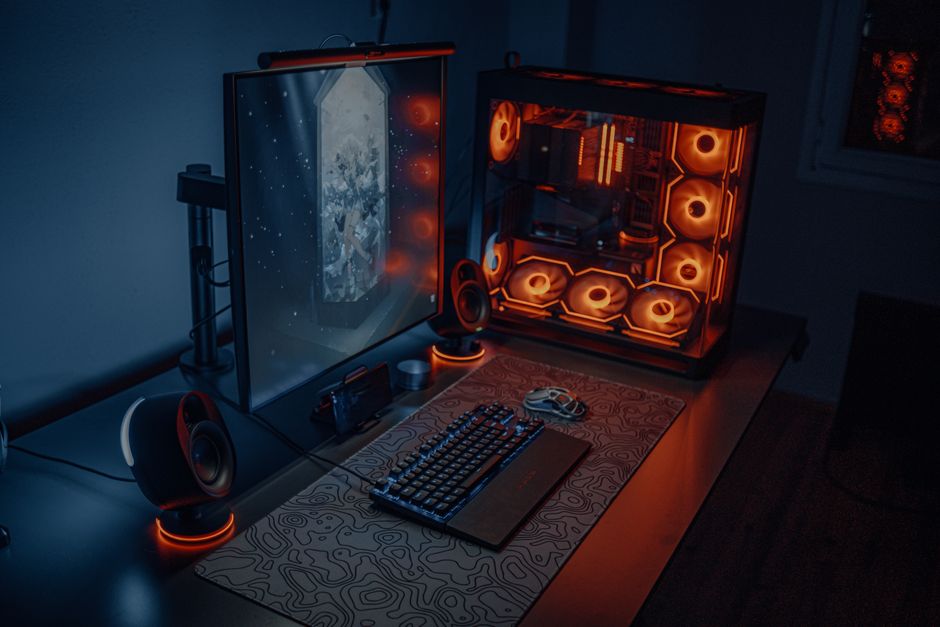
Before diving into building your own gaming PC, it’s crucial to understand the core components that make up a system. The main parts include the CPU, GPU, motherboard, RAM, storage, and power supply. Each of these components plays a significant role in determining the overall performance of your gaming rig.
The CPU (Central Processing Unit) is often referred to as the brain of your computer. It handles all the calculations and processing tasks necessary for gameplay. A good CPU can significantly boost your gaming experience, especially in CPU-intensive games.
The GPU (Graphics Processing Unit) is equally important as it renders images and video for your games. A powerful GPU is a must-have for gaming at high resolutions and frame rates. When selecting a GPU, consider your gaming preferences and the resolutions you plan to play at.
Choosing the Right Parts for Your Build
Once you have a basic understanding of the components, the next step is to select the right parts for your build. Start by creating a budget and then prioritize the components based on your gaming needs. For instance, if you play graphics-intensive games, investing in a high-end GPU should be your priority.
One useful resource for selecting your components is a gaming PC builder tool. These tools allow you to compare prices, compatibility, and reviews for different components, making the selection process much easier.
Additionally, consider the future-proofing aspect of your build. Choosing components that are slightly above your current needs can ensure that your gaming PC remains relevant for years to come.
Assembly: Putting It All Together
After selecting your components, it’s time for the fun part: assembling your gaming PC. Start by preparing your workspace and gathering the necessary tools, such as a screwdriver and anti-static wrist strap. Follow the instructions that come with each component, as they will guide you through the installation process.
Begin by installing the CPU onto the motherboard, followed by the RAM. Next, install the motherboard into the case, securing it properly. Afterward, install the GPU and connect the power supply. Finally, connect your storage drives and any additional peripherals.
Ensure that all cables are neatly organized to promote better airflow within the case. Once everything is connected, power on your PC to check if all components are functioning correctly.
Installing the Operating System and Drivers
With your gaming PC assembled, the next step is to install the operating system. Most gamers prefer Windows for its compatibility with a wide range of games and software. Create a bootable USB drive with the Windows installation files and follow the prompts to install the OS.
After installing the operating system, it is essential to install the necessary drivers for your hardware. This includes drivers for your GPU, motherboard, and peripherals. Keeping your drivers up to date will ensure optimal performance and stability.
Lastly, consider installing additional software, such as game launchers, performance monitoring tools, and security software to enhance your gaming experience.
Maintaining Your Gaming PC
Once your gaming PC is up and running, maintenance becomes crucial for longevity and performance. Regularly clean your PC to remove dust buildup, which can affect airflow and cooling efficiency. Additionally, monitor your system’s performance and temperatures using various software tools.
It’s also advisable to update your drivers and system software periodically. This will not only improve performance but also keep your system secure from vulnerabilities.
Finally, consider upgrading components over time as newer technologies become available. This will help you keep your gaming rig at peak performance without the need for a complete rebuild.
Conclusion
Building your own gaming PC is a fulfilling project that offers numerous benefits, from customization to cost savings. By understanding the components, carefully selecting your parts, and following the assembly guidelines, you will create a powerful gaming machine tailored to your preferences. Remember to maintain your system and stay updated with the latest technology trends. With dedication and the right knowledge, your gaming PC will serve you well for years to come.